
SkillsTree
Developing your skills path

Role:
UI/UX designer
Date:
March to June 2021
Background
My friends at the Oxford Artificial Intelligence Society had gotten funding from the UK government to develop their product SkillsTree. SkillsTree is a social enterprise built in light of the tech job crunch – tech companies have been hit with a lack of manpower and slowing in hiring, while unemployment was at an all time high.
The goal of SkillsTree was to upskill the unemployed population via online course providers like Coursera and edX, and match them to high-paying tech companies via a proprietary AI.
They approached me early in the development process to work with their in-house front-end developer and design the first iteration of SkillsTree’s UI. This would largely serve as a proof of concept to their investors.
Scope of project
Prior to this project, I had helped them to conceptualise the user flow, which can be shortened into three steps:
- Input existing skills (e.g. customer service, coding) into system
- Select a career path (e.g. data analyst, project manager)
- Take courses in skills that are related to desired career path
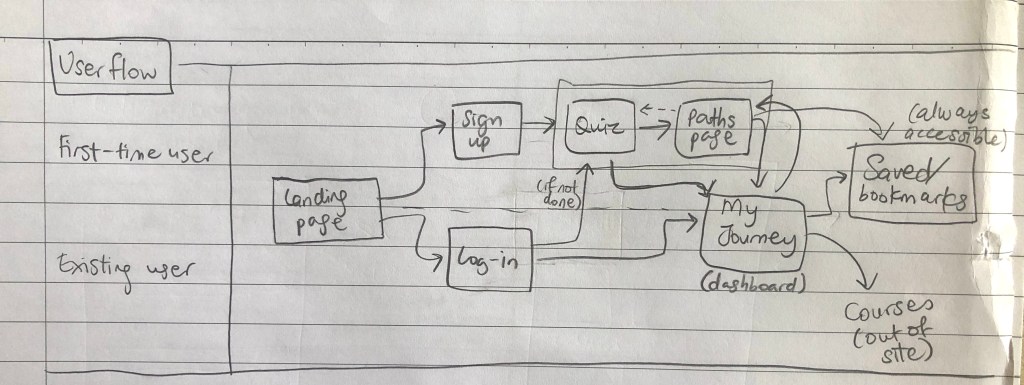
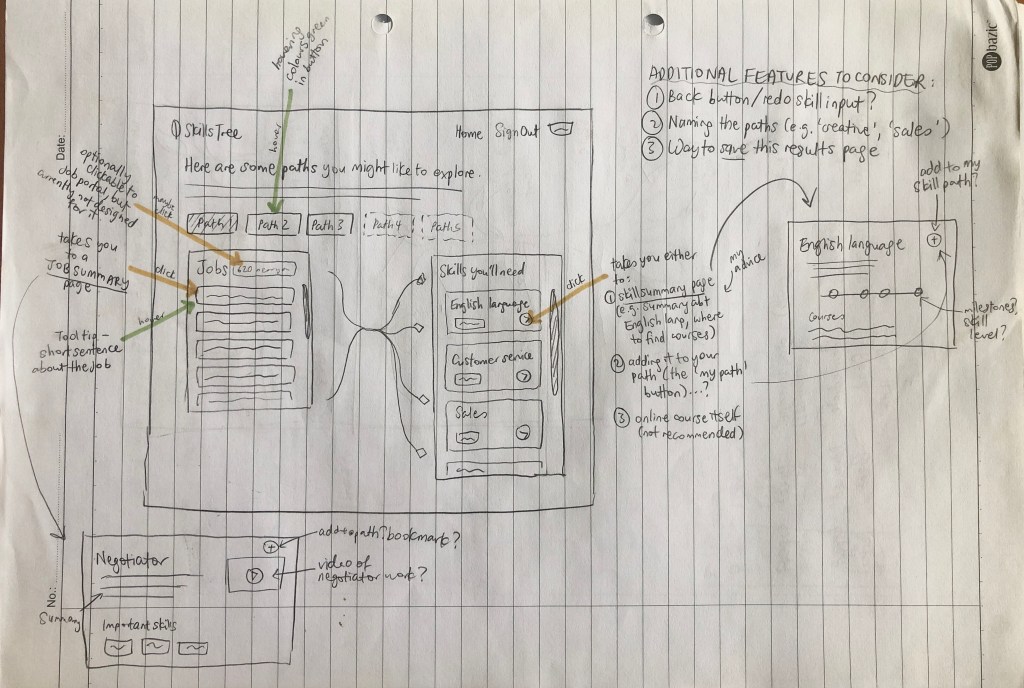
Steps (1) and (2) were being worked on my the front-end developer, who I supported with sketches and feedback. However, my main tasks were focused on step (3), essentially to:
- Design the UI for the main dashboard in (3)
- Develop the visual brand identity of SkillsTree
Gamifying the dashboard
1. Progress bars and “leveling up”


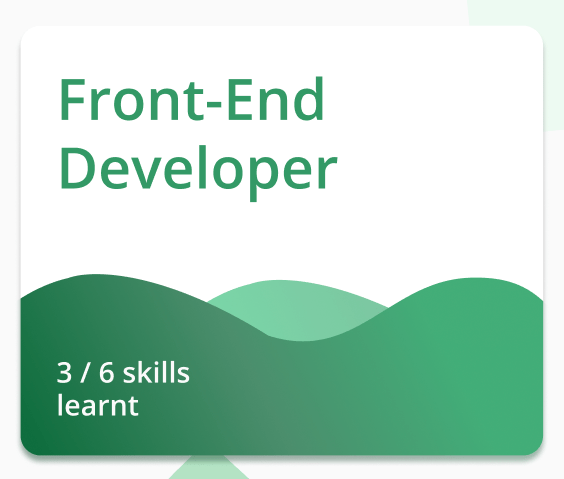


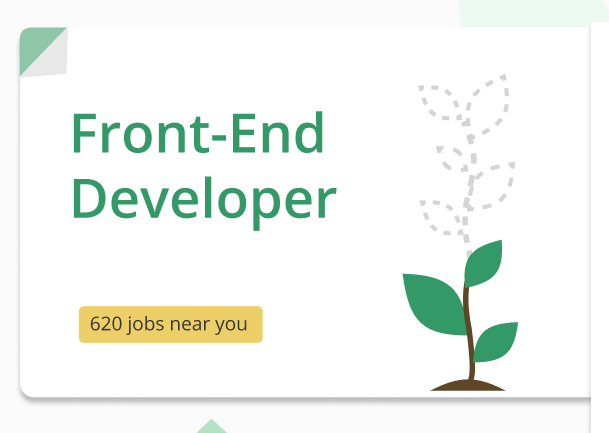
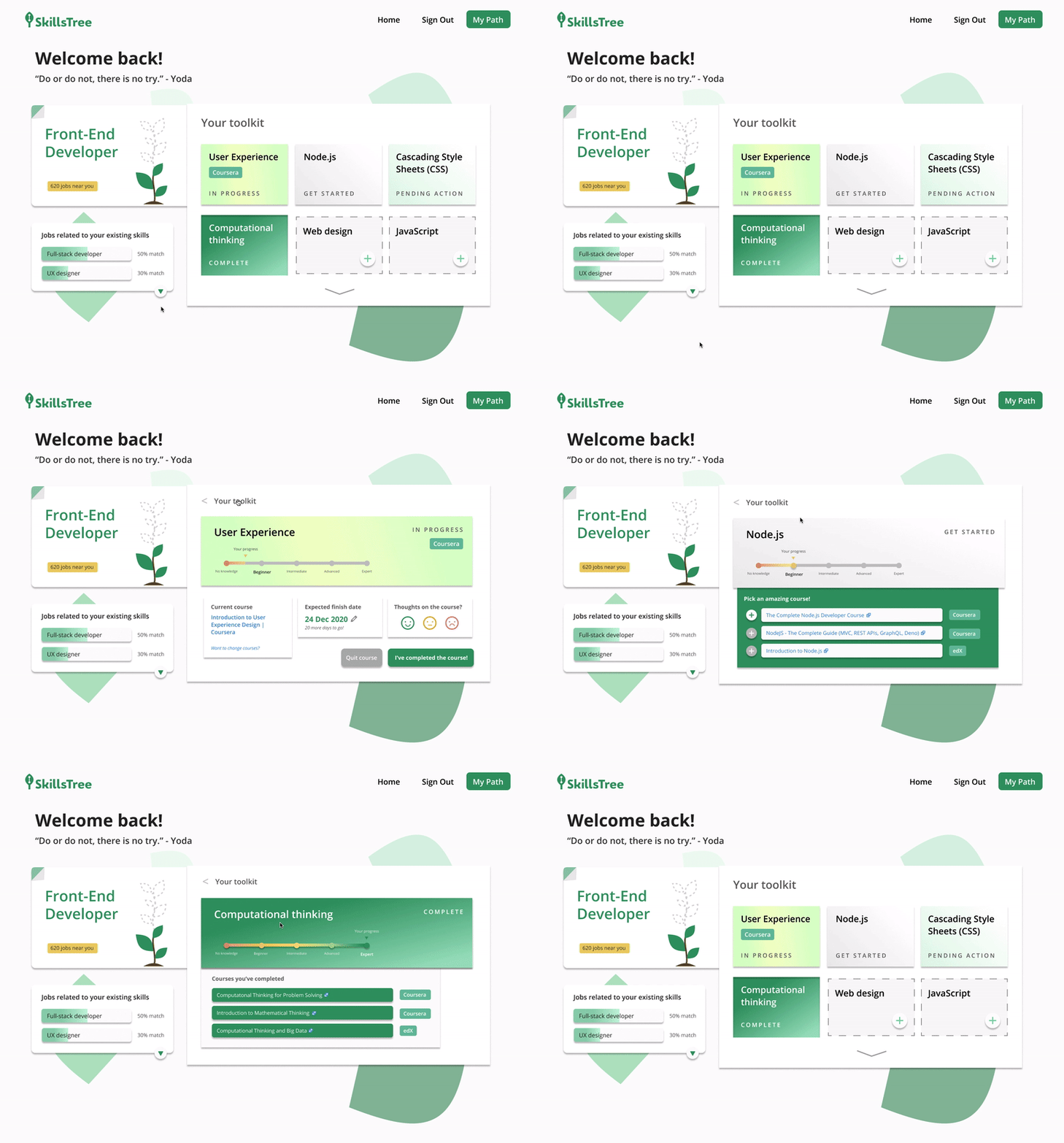
To show the user’s holistic growth, I experimented with ways of visualising their progress via progress bars. I went for the growing plant image (bottom right), which was a great match to SkillsTree’s brand identity.
2. Skills tracker as a “toolkit”
Tracking the user’s skills, both already-learned and in-progress, occupied the meat of the dashboard. This skills tracker should provide users a sense of accomplishment, while encouraging further progress to ‘complete’ their skillset, like filling out one’s Pokédex.


My final toolkit was concise with as little text as possible, showing user’s progress at a glance, while hinting the next steps in terms of skills growth. One could then click on each module to get more detail.
Conclusion

Working with SkillsTree was a pleasure, for the amount of flexibility they gave me and the learning I gained working with their front-end developer. I became more aware of Javascript UI assets and had an appreciation for the types of design choices that would be easier and harder to implement.
Through this project I gained a better understand of dashboards, from researching other products to my own trial and error.

 joy wang